On the job site, you’ve just missed three quote requests
It’s 3 p.m. You’re at the top of a scaffold, hands deep in a leak that won’t wait, or your arm inside an electrical panel. Your phone buzzes in your pocket: there’s no way to answer. Meanwhile, on your website, three people are filling out your contact form. One is looking for a quote to renovate a bathroom, another has an emergency, and the third is simply comparing prices.
In the evening, worn out, you call them back. The first no longer picks up. The second has already signed with a competitor who did answer within the hour. The third wastes twenty minutes of your time only to say they “just wanted a ballpark figure.”
Every tradesperson and small business owner lives this scenario. The problem isn’t a lack of requests: it’s the impossibility of answering them the moment they come in, and of telling a real project apart from the merely curious.
A business that contacts a prospect within 5 minutes is up to 21 times more likely to qualify them than one that waits 30 minutes. After the first hour, the odds of conversion collapse.
78% of customers buy from the first business that responds to them. In the quote business, speed of response often beats price.
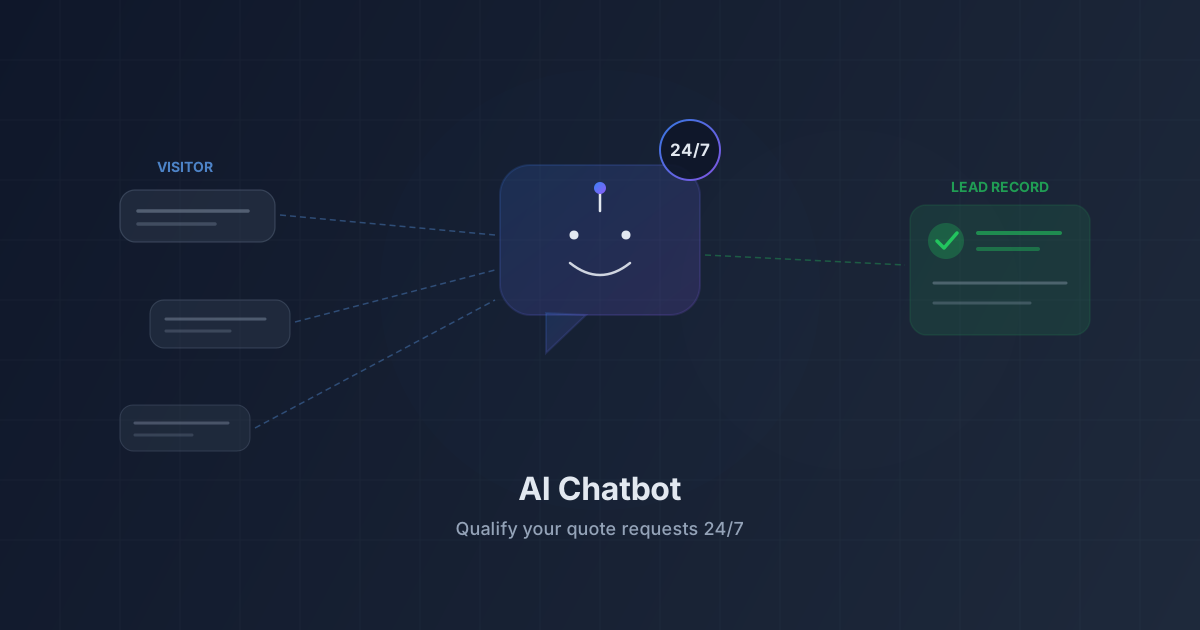
This is the gap a qualification AI chatbot fills: not some magic AI that sells for you, but a digital receptionist available around the clock that greets every visitor, asks the right questions, fills in the prospect record, and hands off to you when needed. Here’s how it works and how to set it up in under fifteen minutes.
What a qualification AI chatbot is (and how it differs from an old button-based chatbot)
The word “chatbot” carries a bad reputation, and for good reason: for years, it was that bubble forcing a rigid menu on you (“Press 1 for a quote, 2 for support”), and the moment your question strayed from the script, the tool stalled.
A qualification AI chatbot is nothing like that. It doesn’t follow a fixed decision tree: it understands what the visitor writes, in plain language, and adapts its answers like an attentive receptionist.
Fixed-script chatbot vs conversational AI agent
The difference is fundamental. A button-based chatbot works like a phone menu: a few planned paths, and everything else throws it off. A conversational AI agent, on the other hand, starts from what the person actually says.
If a visitor writes “Hi, I’ve had water seeping through my kitchen ceiling since this morning, it’s urgent,” the button-based chatbot has no box for that. The AI agent, however, identifies an emergency, understands it’s a water damage issue, and follows up naturally: “I understand, an active leak needs a fast response. Could you give me your postal code so I can check that we cover your area?”
Here, side by side, is what each approach really delivers:
| Criterion | Contact form alone | Button-based chatbot | Conversational AI agent |
|---|---|---|---|
| Available 24/7 | Yes | Yes | Yes |
| Immediate reply to the visitor | No (acknowledgment only) | Yes (fixed menu) | Yes (real dialogue) |
| Understands a freely worded request | No | No | Yes |
| Asks questions tailored to the need | No | No | Yes |
| Handles an unforeseen case | No | No | Yes |
| Creates the prospect record in the CRM | Depends on integration | Rarely | Yes, automatically |
| Filters out time-wasters and spam | Weak | Weak | Strong |
| Hands off to a human | No | Sometimes | Yes (WhatsApp) |
| Visitor’s experience | Waiting, silence | Frustration | Natural conversation |
What AI grasps that a simple form misses
A contact form is passive: it records what the visitor types into boxes, without ever following up or digging deeper. As a result, you get “Hi, call me” messages with no way to know whether it’s a $15,000 project or an $80 repair.
An AI agent, by contrast, holds a real conversation. It picks up on intent (“I want to redo my roof” is not “I’m looking into it for two years from now”), detects urgency, notes details offered spontaneously, and asks one more question when something is missing. This material is valuable: it’s what feeds your lead scoring and tells you who to call back first thing the next morning.
How the chatbot qualifies a quote request, step by step
Let’s break down a typical conversation, as if you were looking over the shoulder of your digital receptionist.
1. Understand the need and ask the right questions
It all starts with listening. The visitor arrives with a vague sentence: “How much does a renovation cost?” Rather than blurting out a meaningless figure, the chatbot pins down the real need: which room, what area, a full renovation or a simple refresh? The questions aren’t recited in a fixed order: they follow on from the answers, the way a tradesperson would “read” the job over the phone. It’s this flexibility that keeps the visitor engaged.
2. Collect the key information: type of work, address, urgency, budget
A quote request is only worth something if it’s actionable. Without it feeling like an interrogation, the chatbot gathers the information you need to call back efficiently:
- The type of work: plumbing, electrical, masonry, painting, the precise kind of job.
- The address, or at least the postal code: to check that the job is in your area.
- The level of urgency: an active leak doesn’t carry the same priority as a project for next spring.
- A sense of the budget or scope: to tell a real project from a simple browse.
- The contact details: name, phone, email, so you can reach the person again.
The chatbot slips these questions in as the conversation flows. The visitor feels listened to, not filed away.
3. Automatically create the prospect record in your CRM
This is where everything comes together for you. At the end of the conversation, the information gathered doesn’t stay trapped in a chat history you’ll never read: it automatically becomes a complete prospect record in your CRM — name, contact details, type of request, urgency, and a summary of the exchange.
You typed nothing, copied nothing: the lead lands in your pipeline, ready to be called back, with all the context. It’s the same principle as lead automation without a tool like Zapier: the data flows on its own, from first contact to your dashboard. A chatbot that chats without creating an actionable record is useless; integrated with the CRM, it turns every conversation into a tracked opportunity.
4. Hand off to a human (WhatsApp) when needed
A good receptionist knows their limits. So does the AI chatbot: when a request gets too technical or the visitor insists on speaking to a real person, it doesn’t dig in its heels, it hands off. It routes the conversation to you, on WhatsApp for example, so you can pick up the thread as soon as you’re available. The prospect is never left at a dead end, and you get a contact who’s already “warmed up,” with all the context. This continuity ties into the logic of multichannel messaging across WhatsApp, SMS, and email: the conversation isn’t lost between tools, it follows the prospect.
AI doesn’t replace the human: it takes the low-value tasks off their plate — answering the same questions, sorting out time-wasters — so they can focus on the relationship and closing the deal.
Answering 24/7 without hiring: availability and business hours
This is probably the most tangible benefit for a tradesperson. You can’t pick up the phone during a job, and you’re not going to pay for an answering service for three calls a day. The chatbot, on the other hand, never sleeps.
A significant share of quote requests come in during the evening, early in the morning, or on weekends, precisely the hours when the tradesperson is neither on the phone nor at the computer. These are all leads that, without an immediate reply, slip away to the first reachable competitor.
Answering 24/7 doesn’t mean pretending to be open 24/7. This is where business hours management comes in: you set your opening hours, and the chatbot adjusts its tone accordingly. During the day, it offers a quick call; on a Sunday evening, it takes down the request and reassures (“this is safely logged, we’ll call you back first thing tomorrow”). An instant, honest reply for the prospect, a full night’s sleep for you, without losing the lead.
A chatbot that knows YOUR trade: the knowledge base
A generic chatbot that answers off the mark would do more harm than good. To be credible, it has to speak your trade, with your information: that’s the role of the knowledge base, the foundation it draws on to answer correctly. The more precise it is, the more relevant the answers — and the less often it needs to bother you.
Services, pricing, service area: what to fill in
Here’s what’s worth giving your chatbot so it can hold a solid conversation:
- Your detailed services: what you do (and what you don’t do, just as important to avoid raising false hopes).
- Your price ranges: even rough ones filter out over-budget requests before they clutter your schedule.
- Your service area: the towns and postal codes you cover, to rule out out-of-area requests from the start.
- Your usual turnaround times: emergency response, average time for a quote, availability.
- Your terms: free or paid call-out, payment terms, warranties.
Good news: this knowledge base can also draw on content you already produce — the pages of your website, your articles. Once it’s filled in, it gives every visitor answers that match your reality on the ground.
Qualifying without getting spammed: AI on both the conversation and anti-spam sides
Opening a channel for dialogue around the clock also opens a door to nuisances: bots, cold callers, fake leads. An unprotected channel always ends up attracting noise, and a poorly designed chatbot quickly becomes a sieve that fills your CRM with junk records.
That’s why qualification and anti-spam go hand in hand. The same intelligence that understands a genuine request can recognize an incoherent message or robotic behavior: a real prospect describes a concrete, local need, while spam recites a generic formula.
At Prospect Hub, the chatbot doesn’t work alone: it relies on the same logic as AI-powered anti-spam protection for forms, which analyzes meaning and intent rather than inflicting a CAPTCHA on everyone. The result: real requests get through without friction, fake ones are quietly discarded, and your pipeline stays clean.
A CRM where a third of the records are noise costs the team a considerable amount of time in manual sorting. Filtering at the door, right in the conversation, beats cleaning up afterward.
What it costs: the chatbot module and conversation packs
Let’s talk money plainly: an AI chatbot has a cost, and it’s only natural to want to understand how you pay for it before diving in.
A module reserved for paid plans
The conversational version of the chatbot — the one that understands natural language and qualifies your requests — is part of Prospect Hub’s paid plans, alongside AI lead analysis. Even without the AI module, a direct-connection mode (a button to WhatsApp) remains available. If you’re unsure which plan to pick, our comparison of free and paid CRMs helps you find the right level, and the pricing page details each offering.
Conversation packs: pay for the real volume of chats
The principle is simple: you pay per conversation actually held — a complete exchange with a visitor, from hello to qualification, not each message taken separately. You buy conversation packs sized to your needs, from a few hundred for a solo tradesperson to several thousand for a high-traffic business. Quiet month, the pack lasts longer; spring peak, you top it up. You never pay for conversations you didn’t have.
Using your own AI key (advanced option)
For the more tech-savvy, there’s an option: plug in your own key from an artificial intelligence provider. You then manage the AI side on your end, and the pack only caps your account’s monthly volume. This is reserved for those already used to these tools: most tradespeople don’t need it, and the packs cover every common case.
Setting up your AI chatbot in under 15 minutes
No need to be a computer expert. The setup comes down to three steps.
Choose the mode: AI, WhatsApp, or both
First you decide how your chatbot greets visitors:
- AI mode: the chatbot leads the conversation from end to end, qualifies, and creates the record automatically. Ideal if you’re often unreachable during the day.
- WhatsApp mode: a button connects the visitor directly with you on WhatsApp. Simple and direct, no AI.
- Combined mode: the AI takes the first contact and qualifies, then switches to WhatsApp when a human is needed. The best of both worlds.
You can switch modes at any time depending on the season or your workload.
Fill in the knowledge base and business hours
Next, you feed your chatbot: services, indicative pricing, service area, turnaround times, and opening hours. This is the most decisive step for the quality of the answers — ten well-spent minutes that make the difference between a professional welcome and a hit-or-miss exchange. You can enrich it over time, based on the questions that keep coming up.
Add the widget to your website
Finally, you add the widget to your site: a single line of code to paste, exactly like integrating a contact form connected to your CRM. The bubble appears on your pages, ready to welcome your visitors. No technical skills required: if you can copy and paste, you can install your chatbot. In a quarter of an hour, your digital receptionist is on duty — and it will never take a day off.
Frequently asked questions about the AI chatbot for tradespeople
Can the AI chatbot really replace a telephone answering service? It doesn’t replace a real person for complex exchanges, but it handles the greeting and the first round of sorting far better than a voicemail, for a fraction of the cost — and captures the requests you’d have lost because you couldn’t pick up.
What happens if the chatbot doesn’t know the answer? It doesn’t bluff and it doesn’t make things up. When a question goes beyond its knowledge base, it offers to connect you or records the request so you can call back. The visitor is never stuck.
Will my visitors realize they’re talking to an AI? The tone stays natural and professional. The goal isn’t to deceive the visitor, but to give them an immediate, useful answer. Most people mainly appreciate not having to wait.
Does the chatbot work if my website is basic? Yes: it adds to any site through a simple snippet of code, whatever the tool it was built with. No redesign needed.
Does it add to my daily workload? Quite the opposite. The chatbot takes repetitive questions and fake leads off your hands, and you get already-qualified records in your CRM, ready to be called back.
Key takeaways
The qualification AI chatbot isn’t a futuristic gadget, but a pragmatic tool: you can’t be on a job site and behind your phone at the same time, and every request without a quick reply is a lost quote. It rests on the same foundation as the rest of your business: a simple CRM built for tradespeople and small businesses, where every conversation becomes an actionable prospect record.
- A qualification AI chatbot understands natural language and holds a real dialogue, where a button-based chatbot forces a fixed menu.
- It qualifies every quote request: need, type of work, address, urgency, budget, contact details.
- It automatically creates the prospect record in your CRM, with no re-entry on your part.
- It answers 24/7, manages your business hours, and hands off to a human (WhatsApp) when needed.
- It filters out time-wasters and spam thanks to the same AI that protects your forms, keeping your pipeline clean.
- The module is part of the paid plans, with conversation packs billed by real volume, and an advanced option to plug in your own AI key.
- Setup takes under 15 minutes: choose the mode, fill in the knowledge base and business hours, paste the widget.
Ready to never miss another quote request while you’re working? Create your Prospect Hub account and put your digital receptionist to work today. Your next jobs are waiting for you, even when your hands are full.